
Time off, inside the plan
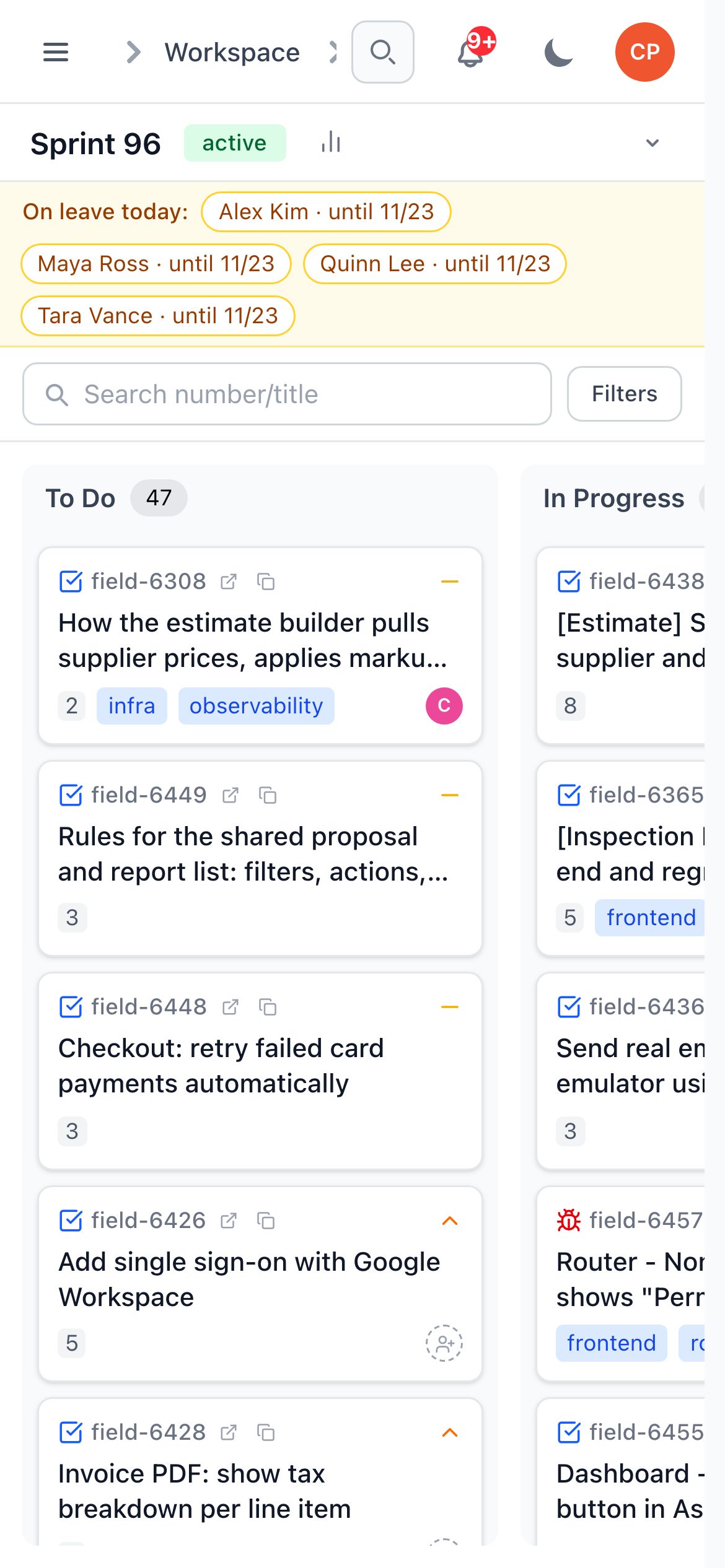
Leave requests and approvals, a team leave calendar and balances. Holidays are counted in the sprint and the board shows who is out.
The project workspace for software teams
DevSpear puts your sprint board, docs, test management, release notes and team leave in one workspace — and lets your AI assistant write and run the tests alongside you.
01 Why teams switch
Most teams stitch a tracker, a wiki, a test tool and a spreadsheet of who's on leave together — and pay for each. In DevSpear they are one workspace, so a failed test, a doc and a sprint report all point at the same issue.
02 At a glance
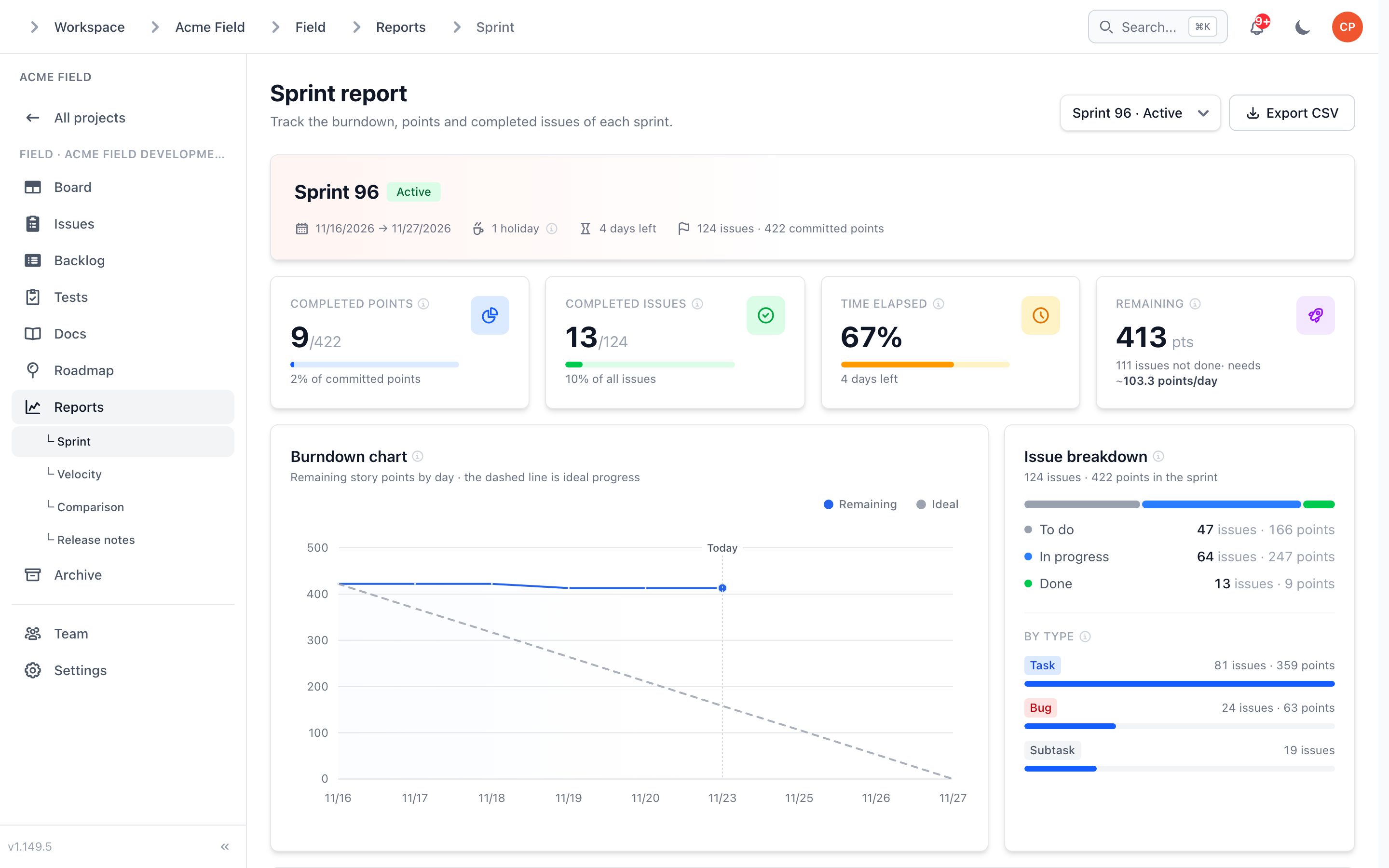
Dates, holidays, who's out, every card's points and priority — the board answers the stand-up questions before anyone asks them.
03 One loop
Plan in the backlog, build on the board, write the rules in docs, prove it in a test cycle and ship with release notes that wrote themselves.
Plan
Backlog · Roadmap
Build
Board · Issues
Document
Docs
Test
Cases · Suites · Cycles
Report
Burndown · Velocity · Release notes
04 Tour
01 Board
Columns follow your process — To Do, In Progress, Review, Dev Test and back. Each card carries its key, story points, labels, priority and assignee.
02 Issues
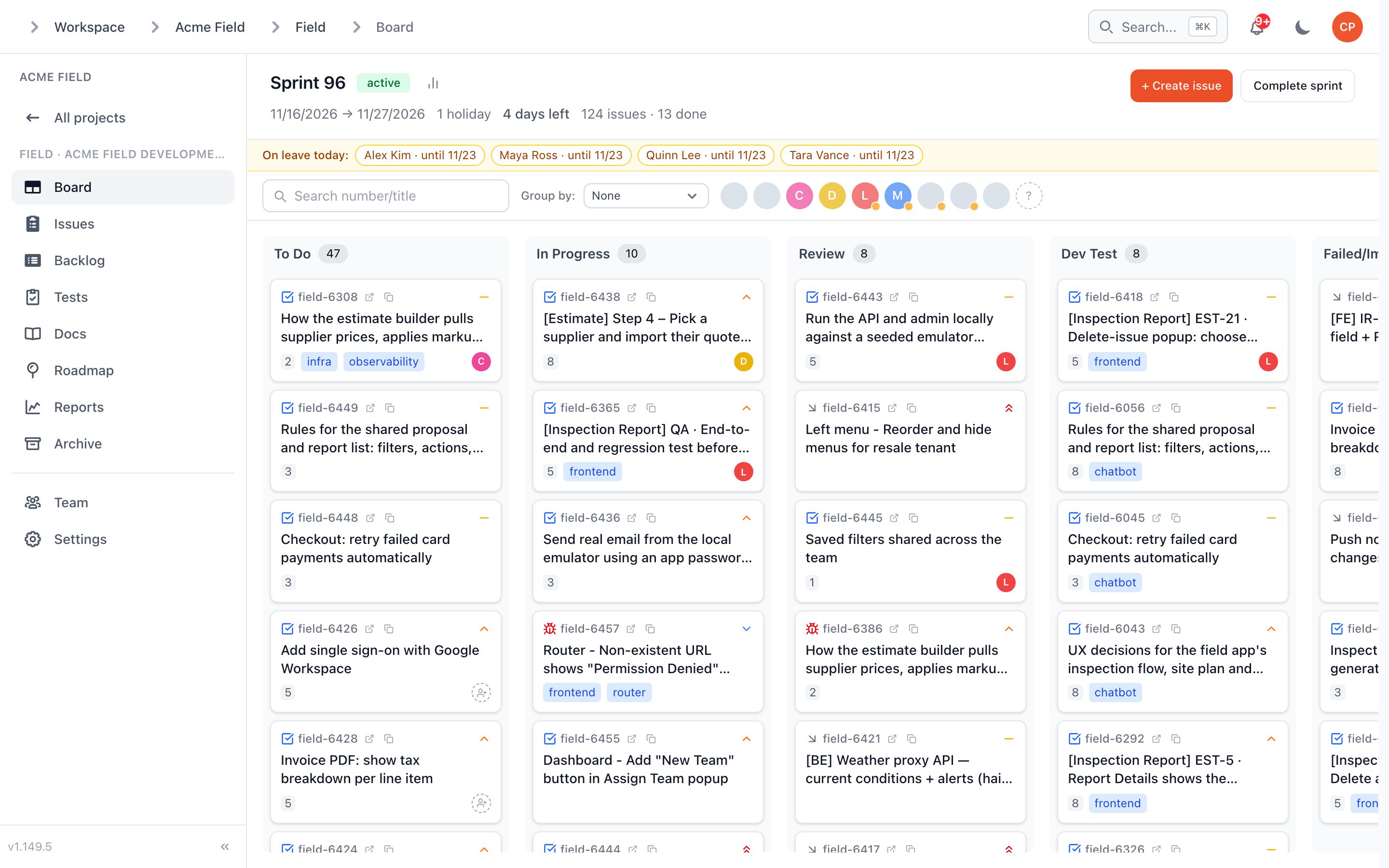
Write the requirement and acceptance criteria, break it into subtasks, attach files and link it to an epic and a sprint.
03 Roadmap
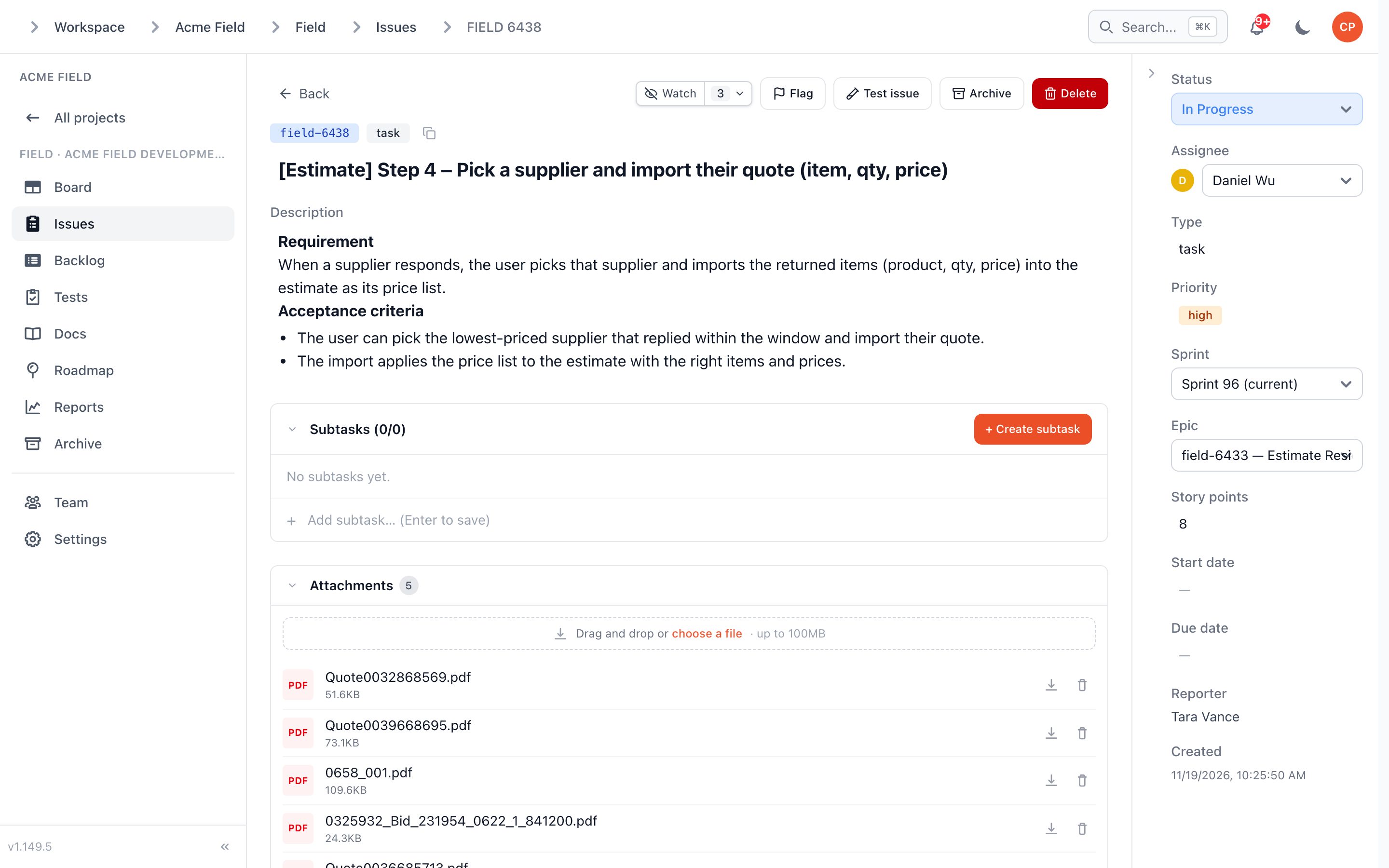
Epics and their child issues sit on a day, week or month timeline. Drag a bar to reschedule it; drag an edge to change its dates.
04 Docs
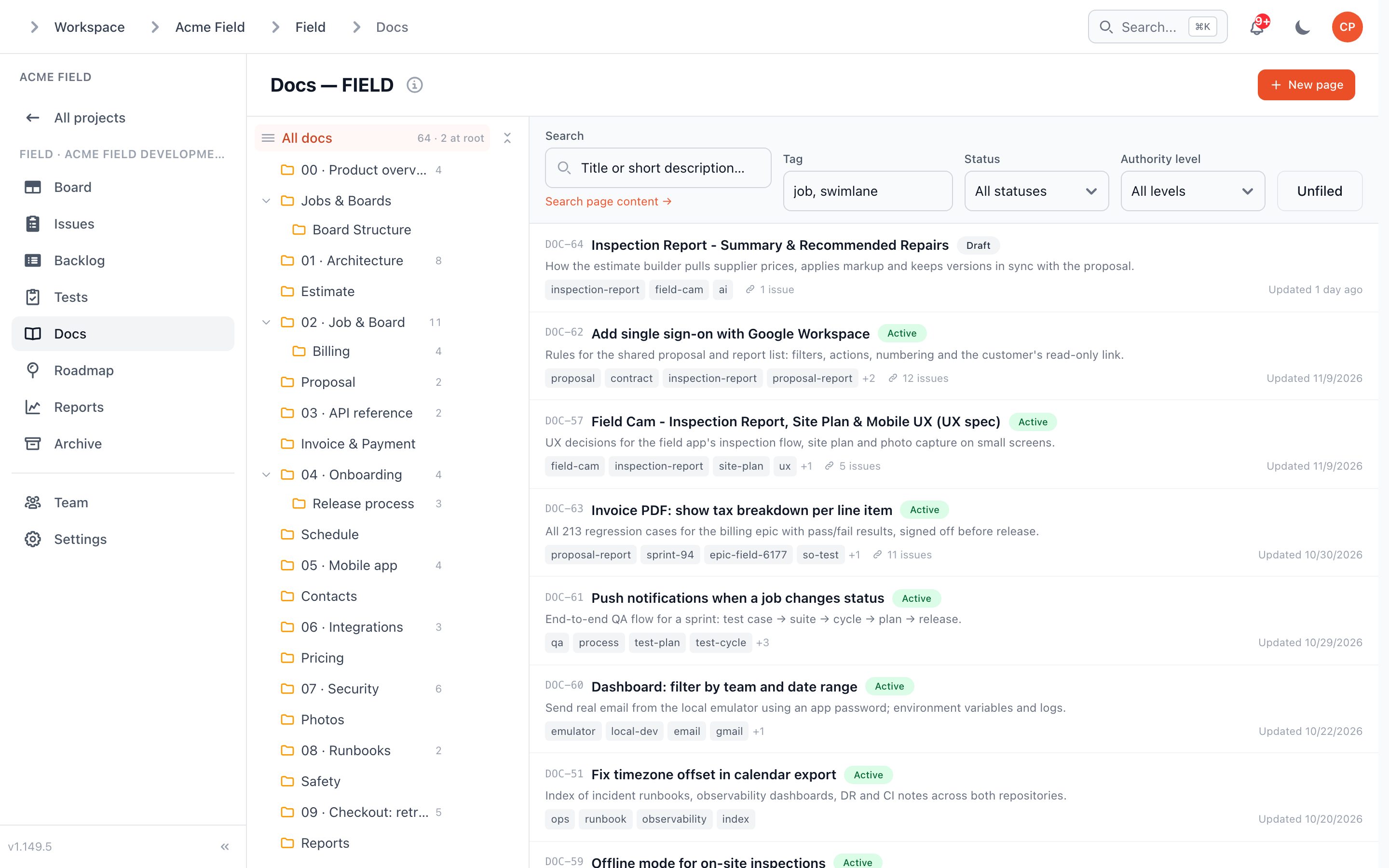
Specs, runbooks and decisions sit in folders beside the project — tagged, given a status and an authority level, and linked to the issues they describe.
05 Tests
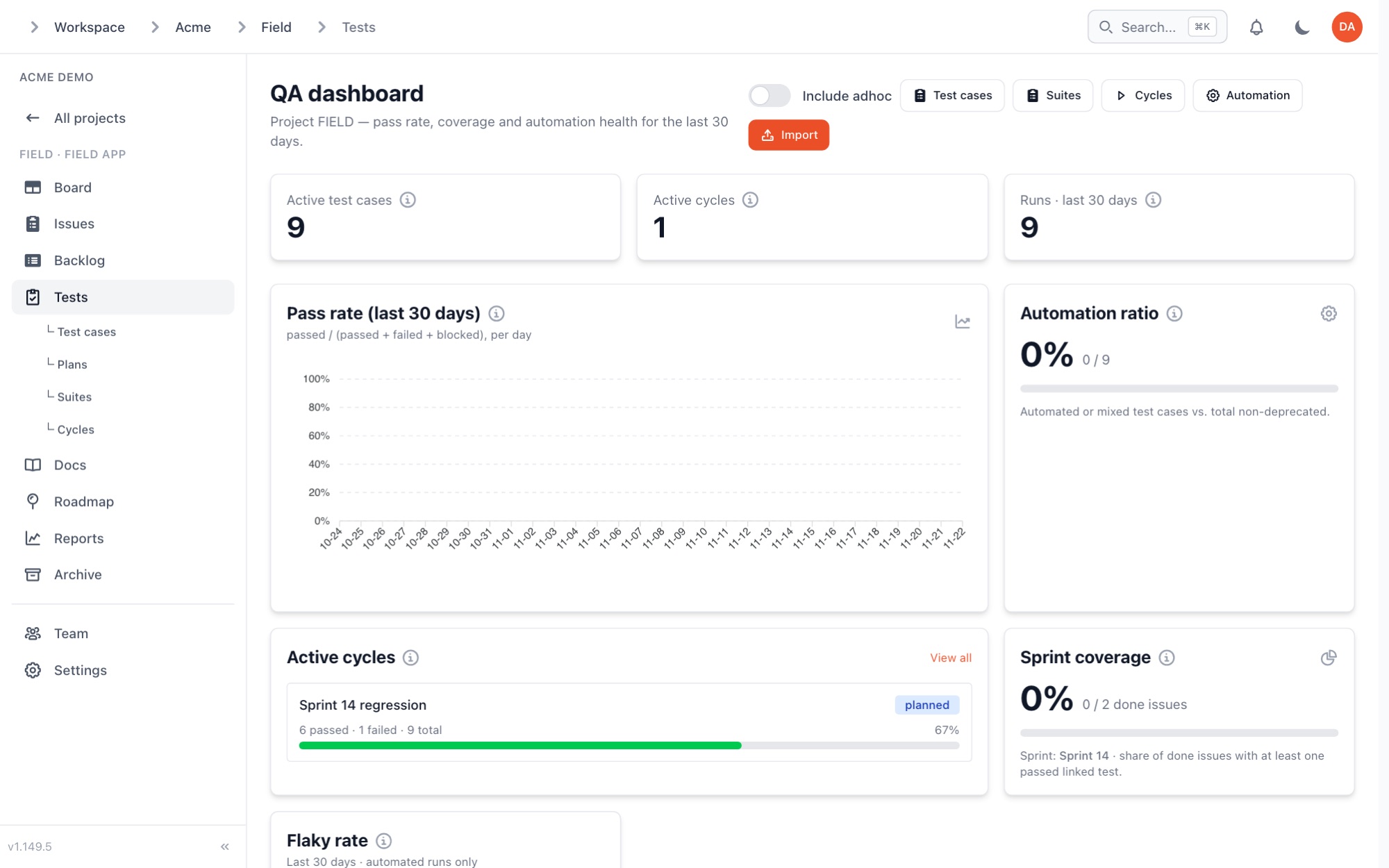
Write test cases, group them into suites and plans, and run them in cycles. The QA dashboard shows how a release is really doing.
06 Reports
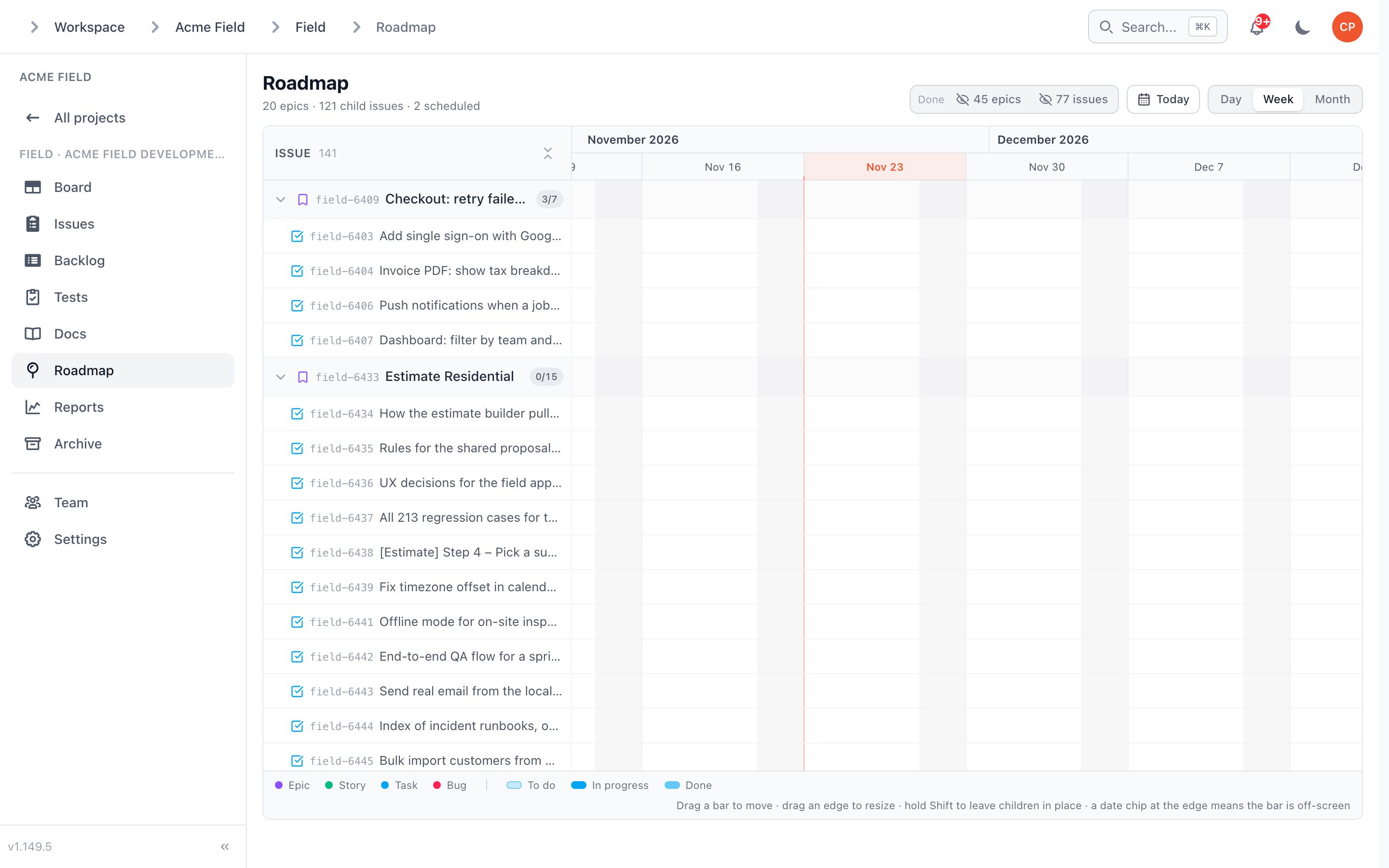
Burndown against the ideal line, completed points and issues, time elapsed and what is still needed per day. Absences are part of the picture.
Board01 / 06
05 QA, built in
No second tool, no second login, no exporting test results into a ticket. Every test case knows which issues it covers — and every issue knows if it passed.
Test cases with steps, expected results, data sets and shared steps, in folders and suites. Import what you already have from CSV.
Each case links to the issues it covers. Open an issue, press “Test this issue”, and DevSpear finds the cycle that already holds its tests.
Plan a cycle per sprint or release, assign testers, record passed, failed, blocked or skipped — step by step, with screenshots.
Only the Product Owner, Scrum Master, a QA Manager or an admin can sign a cycle off — and only once it has really been run.
AI test automation
Pick the test cases, and the DevSpear AI agent writes an automated Playwright test for each one, runs it against your app and records passed or failed in the cycle — with the evidence attached.
06 Works with AI
DevSpear ships with an MCP server. Connect Claude, Cursor or any MCP-compatible assistant and it can log bugs, plan sprints, write docs, draft test cases and build release notes — from the chat or the terminal you already work in.
AI assistant · connected to DevSpear
Log a bug in FIELD: calendar export is off by one hour. High priority, current sprint.
Draft test cases for it.
Done. FIELD-6461 is in To Do with three linked test cases. Want me to add it to tonight's test cycle?
07 Ship it
Finished issues are grouped into New features, Improvements and Bug fixes. Override a line on the issue, hide internal work, copy Markdown or download .md.
Functions, DB scripts and notes recorded on each issue are collected into one checklist for deploy day. Tick each step as it runs.
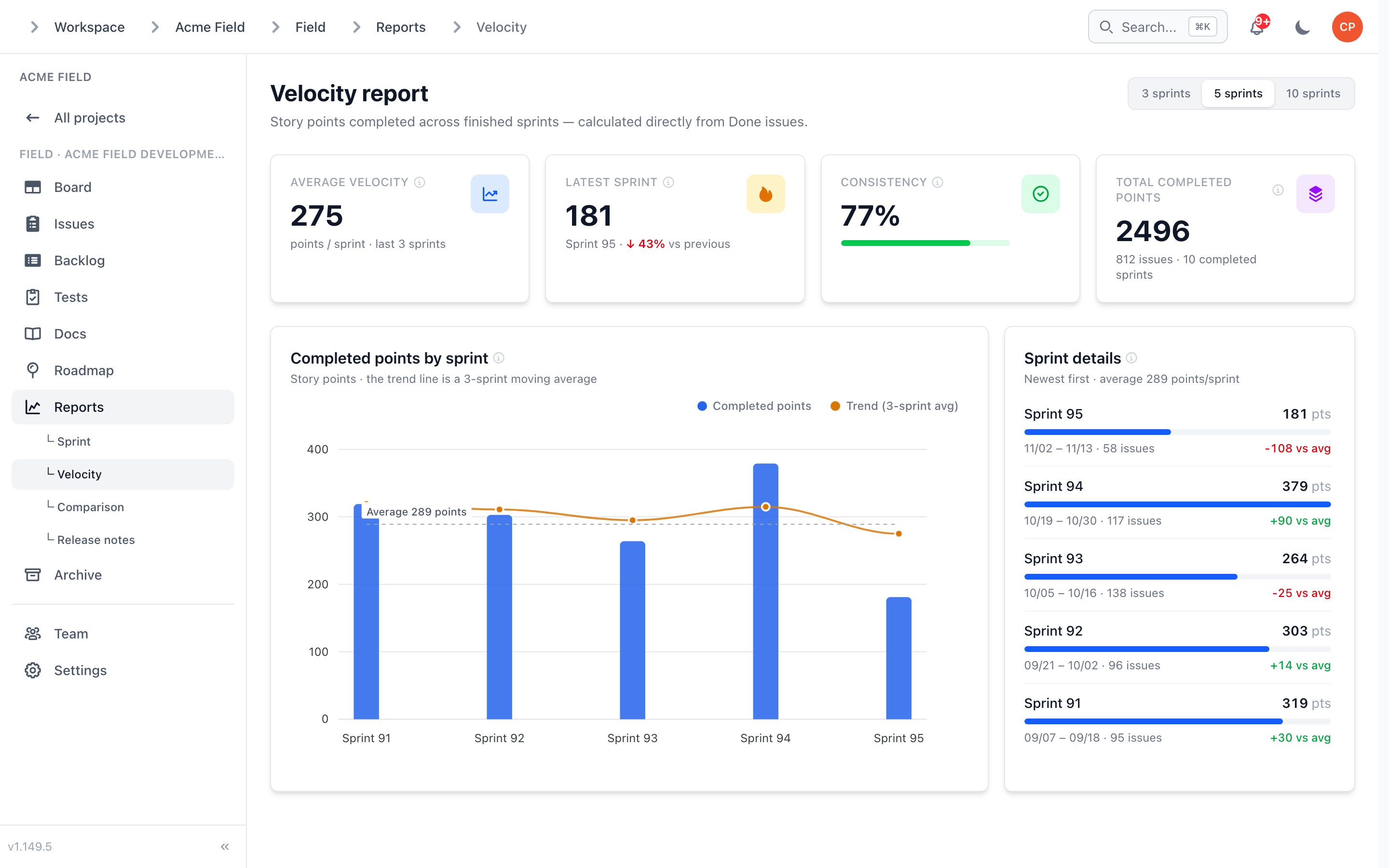
Burndown against the ideal line, velocity across sprints, sprint-to-sprint comparison — calculated from Done issues, exportable to CSV.
Sprint report
Completed points, time elapsed and what is still needed per day — with the burndown against the ideal line.
08 And the details
Reports
Committed against completed points for every sprint, plus a side-by-side comparison of any two sprints.
Leave requests and approvals, a team leave calendar and balances. Holidays are counted in the sprint and the board shows who is out.
Group projects into workspaces, each with its own members, product owner and scrum master.
Search across the workspace from anywhere with one shortcut.
Switch language per user — and light or dark mode to match.
A one-time sign-in link by email, or a password if your team prefers.
Archived issues leave the board but are kept, and can be restored at any time.
09 On the go
DevSpear runs in the browser, adapts to small screens and installs to the home screen with push notifications — no app store required.
10 Admin & security
Clear roles, an audit trail and a way out for your data — the questions your IT lead will ask, answered up front.
Owner, Admin, Member and Viewer per workspace, plus Product Owner, Scrum Master and QA Managers per project.
Sensitive actions — cycle sign-offs, token revocations, imports and rollbacks — are recorded for workspace admins.
Download every issue, sprint, doc, test and leave record of a workspace as one file, whenever you need it.
Our support team can only open your data read-only, when granted — and every visit is listed for you.
A one-time link by email, or a password if your team prefers. Invitations are tied to the exact email address.
Send events to your own systems when a ticket meets a rule, and script the workspace with scoped API tokens.
11 Moving in
12 Pricing
Plans differ only in team size, workspaces and storage. Start small and grow into it.
From$39/ month, billed yearly
13 FAQ
Software teams that work in sprints or Kanban and want planning, docs, QA and releases in one place — from a five-person product team to an agency running a workspace per client.
No. Test cases, suites, plans, cycles, step-by-step runs and sign-off are part of every project, and they link to the issues they cover.
DevSpear runs an MCP server. Connect Claude, Cursor or another MCP client and your assistant can create and update issues, plan sprints, write docs, draft test cases and build release notes — always as you, with your permissions.
Yes. Choose test cases and the DevSpear AI agent writes an automated Playwright test for each one, runs it against your app and records the result in the test cycle. Once written, the tests re-run with one click on every sprint or release.
Yes. Import a Jira project with its issue types, priorities, statuses, links and story points, or bring issues and test cases in from CSV.
DevSpear runs in the browser and adapts to small screens, and can be installed to the home screen with push notifications — nothing to download from a store.
English and Vietnamese, chosen per user. Emails and notifications follow the same choice.
Any time. Workspace admins can export every issue, sprint, doc, test and leave record as one file.
The project workspace for software teams
See it running on your own kind of work, and let us help you bring your backlog across.